MLOps & Moving to Scripts
Huanfa Chen - huanfa.chen@ucl.ac.uk
13/12/2025
Intro to MLOps
- MLOps makes machine learning models reliable and maintainable in production
- three key stages
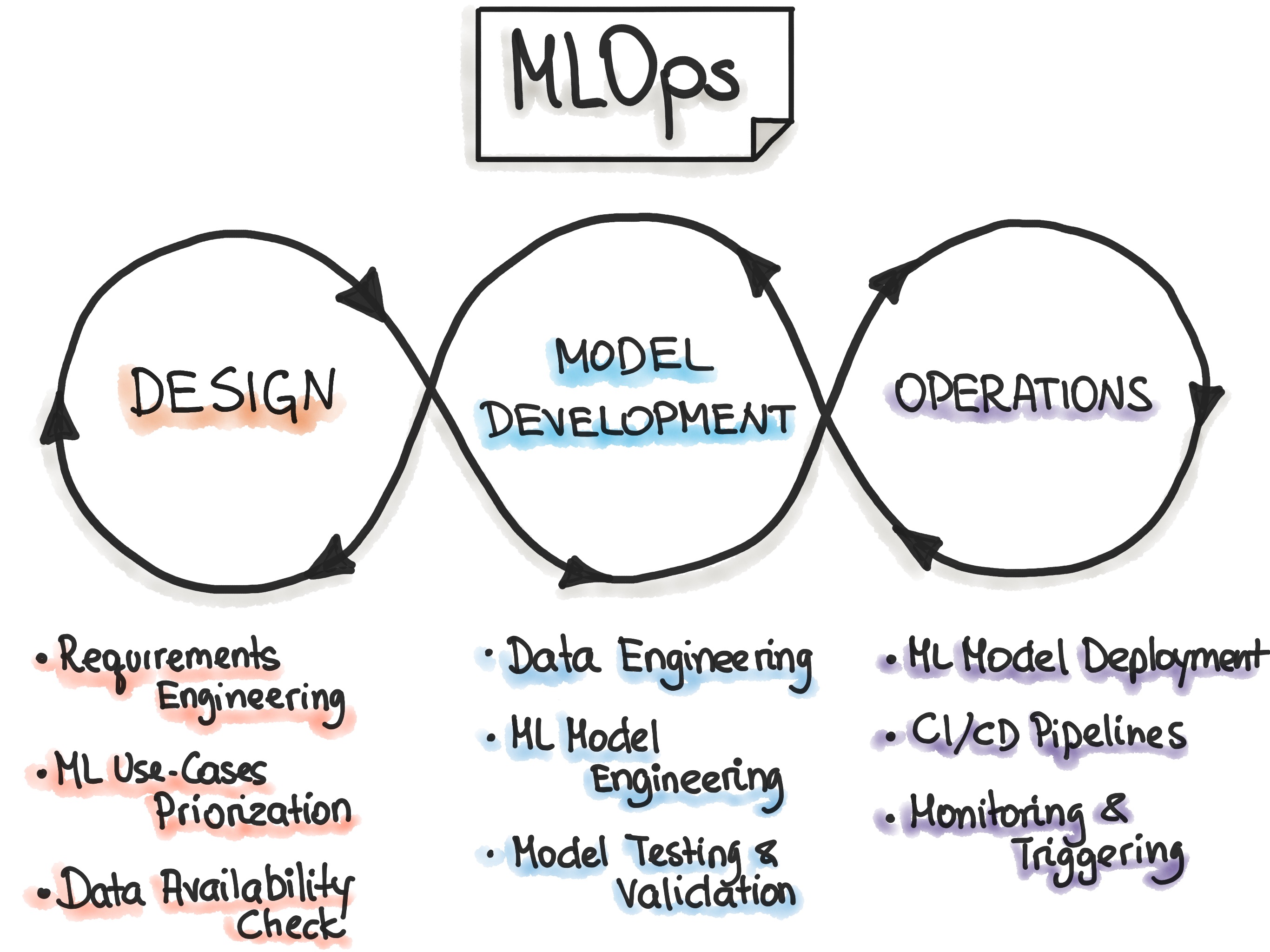
Image Credit: https://ml-ops.org/content/mlops-principlesLevels of automation in MLOps
- Manual process: everything is done by hand; using Rapid Application Development (RAD) tools like Jupyter Notebooks.
- ML pipline automation: with continuous training (when new data comes in, retrain the model automatically).
- CI/CD pipeline automation: to perform fast & reliable ML model deployment, usually on Cloud (AWS/GCP/Azure)
Recommendations for MLOps online courses
- Getting a MLOps certificate from GCP/AWS is a plus for job hunting
- Go for big providers: Google Cloud (GCP), AWS, Azure
- Don’t forget to turn off MLOps on Cloud to avoid unexpected charges!
- MLOps on Google Skills
- MLOps on AWS
Focus Today: Moving to Scripts
- Preerquisites: using VSCode (or other IDE) instead of Jupyter Notebooks
- Why? VScode better supports managing many files, with functions like Go to Definition, Refactor, etc.
- VSCode works well with conda, docker, Podman, git, etc.
- VSCode is industry standard IDE; good to get used to it early
- vSCode works with LLM plugins: Github copilot, Gemini, etc.
Benefits of Python Notebooks
Notebooks have been great so far for development and testing new ideas.
- Interactive: mixing code, text, and images; story-telling
- Stateful: saved code state to global state, so don’t have to rerun code
- Great for exploration and prototyping
Problems with Notebooks
- Non-linear execution order: hard to track dependencies and what have run
- Hard to version control: diffs are messy, hard to review
- Difficult to test: can’t easily run unit tests or integration tests
- Not ideal for production: hard to deploy, monitor, and maintain
Moving to scripts (.py)
- stateless: each run starts fresh; have to explicitly pass variables to functions and classes
- linear: we have to run from top to bottom
- modular: we can split code into functions and classes
- testable: we can write unit tests and integration tests
Steps to move from notebooks to scripts
- Remove non-essential cells (
print X shape,df.describe()) - Refactor code into functions (and classes)
- Combine related functions into Python files (modules)
More considerations
- Use configuration files (YAML, JSON, config.py) to manage parameters; avoid hardcoding values in other .py files
- Avoid duplicated code; don’t write the same code in multiple places
- use functions and
utils.pyto promote code reuse - Write unit tests to ensure code correctness and reliability
Suggestions for improving notebooks
Improving notebooks (as we still use them)
- Avoid very long outputs (e.g. print 100 lines of dataframe)
- Avoid unnecessary EDA (e.g.
df.head(),df.describe()). If a notebook contains data processing, only call describe() ONCE after processing - Make sure plots are properly labelled with titles, axis labels, legends
- If some outputs are important, save them to files (images -> jpeg/png, models -> pickle/joblib) instead of relying on notebook state
- Restart kernel and rerun all cells before committing changes or sharing; avoid non-linear execution issues
Using sklearn pipelines to improve readability
- sklearn pipelines help organise code, avoid data leakage, and improve reproducibility
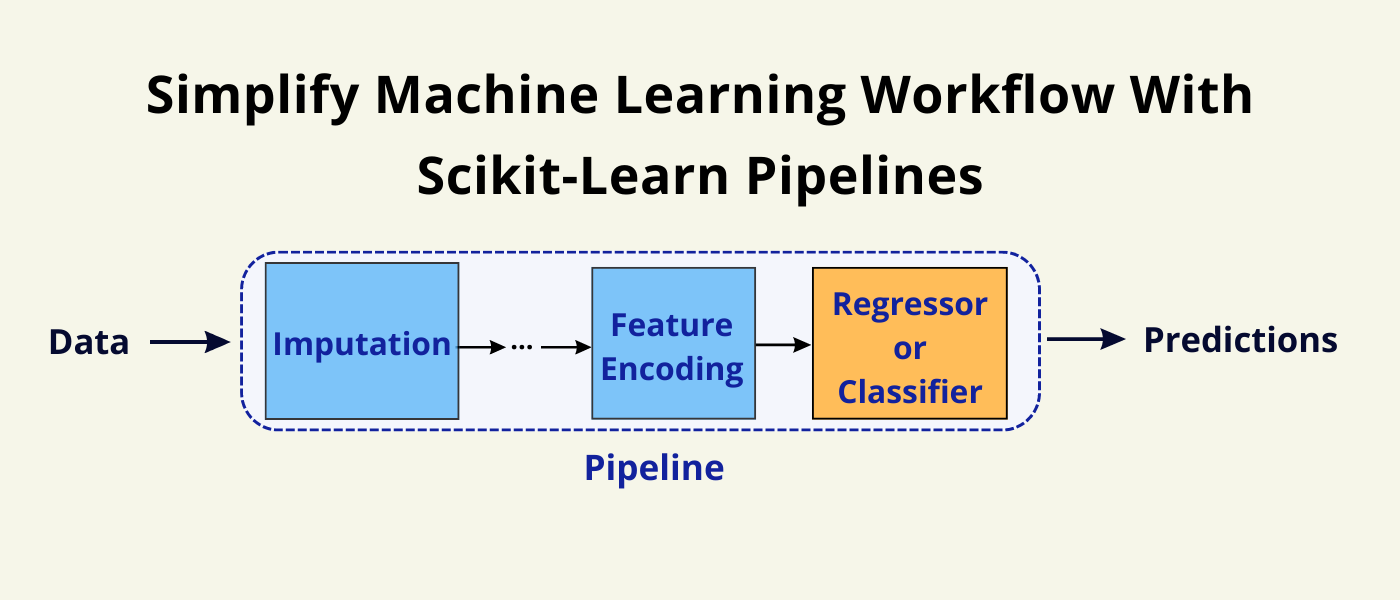
Image Credit: sci-learn.orgKey references
Summary
- MLOps ensures reliable and maintainable ML models in production
- Moving from notebooks to scripts improves code quality, testability, and deployability
- Using IDEs like VSCode enhances productivity and code management
- Ensure good coding practice in notebooks

© CASA | ucl.ac.uk/bartlett/casa